SFDT for Salesforce — Chrome Extension
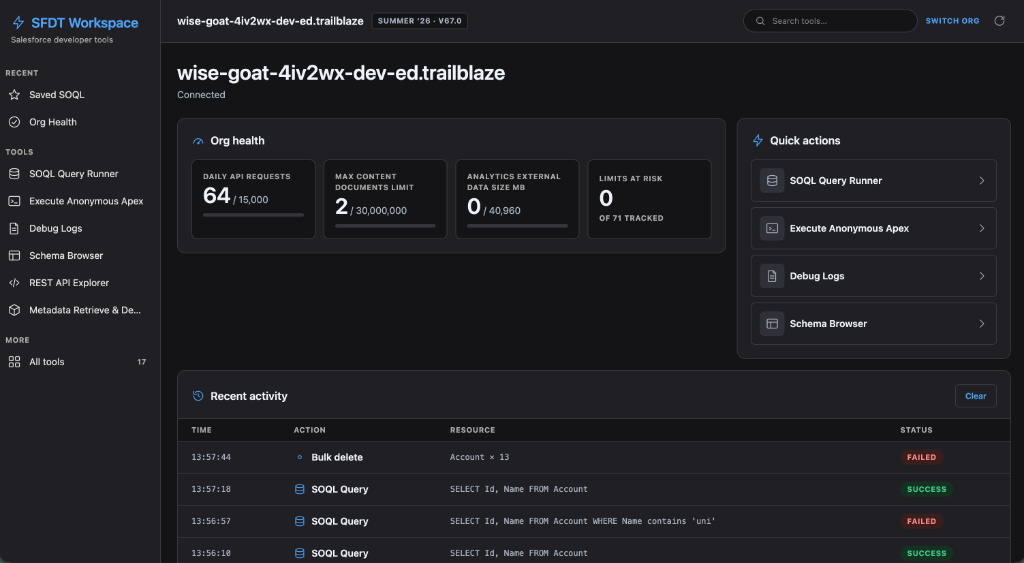
SFDT for Salesforce (@sfdt/extension) augments Salesforce Flow Builder and Setup with
productivity features for admins and developers. It works completely standalone; an optional
local bridge to the @sfdt/cli unlocks deploy, rollback, quality scoring, and
AI-powered analysis directly from the canvas.
- Current version:
0.16.0 - Features: 49, all opt-in
- Status: available on the Chrome Web Store
- License: Apache-2.0
The extension reads Salesforce metadata through your existing browser session — no separate login, and nothing leaves your device. See Privacy & Permissions.
Standalone vs. bridge-enabled
Most features run with no setup at all — open a Salesforce tab and the ⚡ side button appears. A handful of features call your local sfdt CLI through the bridge:
| Mode | What you get | Requires |
|---|---|---|
| Standalone | 42 of the 49 features: SOQL/REST/SOAP runners, org limits, Flow analysis, search, schema export, Apex execution, Apex test runner, and more | Nothing — just install |
| Bridge-enabled | Adds CLI-backed tools — flow-deploy, flow-version-manager, ai-assistant, org-health, and the bridge tool set (drift check, metadata scan, org compare) | sfdt ui running, or the native host installed |
Where it fits
The extension is one of four workspaces in the sfdt monorepo:
| Workspace | Role |
|---|---|
@sfdt/cli | The npm CLI that owns deployment, testing, and release management |
@sfdt/extension | This package — the Chrome extension |
@sfdt/host | A tiny native-messaging host used when the CLI’s HTTP bridge isn’t running |
@sfdt/flow-core | Shared TypeScript library (Flow rules engine + scoring) used by the extension and the CLI |
Next steps
Last updated on